Term statistics
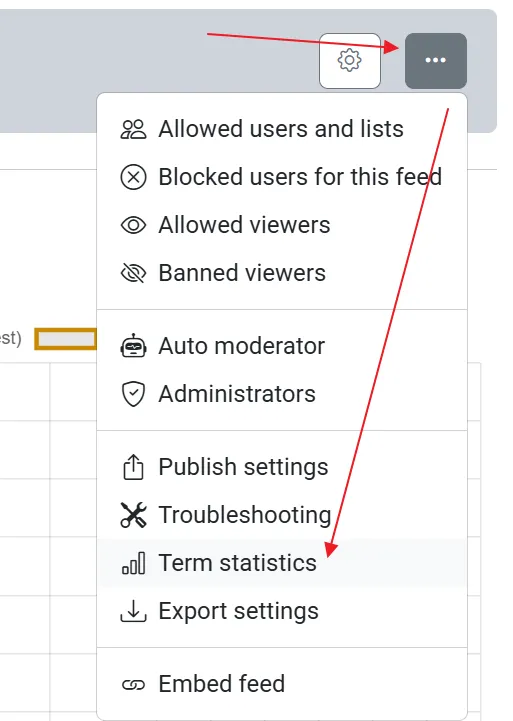
Term statistics shows which search terms captured posts into a feed. Open a feed from My Feeds, then choose Term statistics in the feed actions menu. It opens in a new tab. You can also click the Top term chip under the charts on the feed dashboard. That chip shows the term that captured the most posts in the last couple of days (UTC), and it is visible on every plan.
The chart
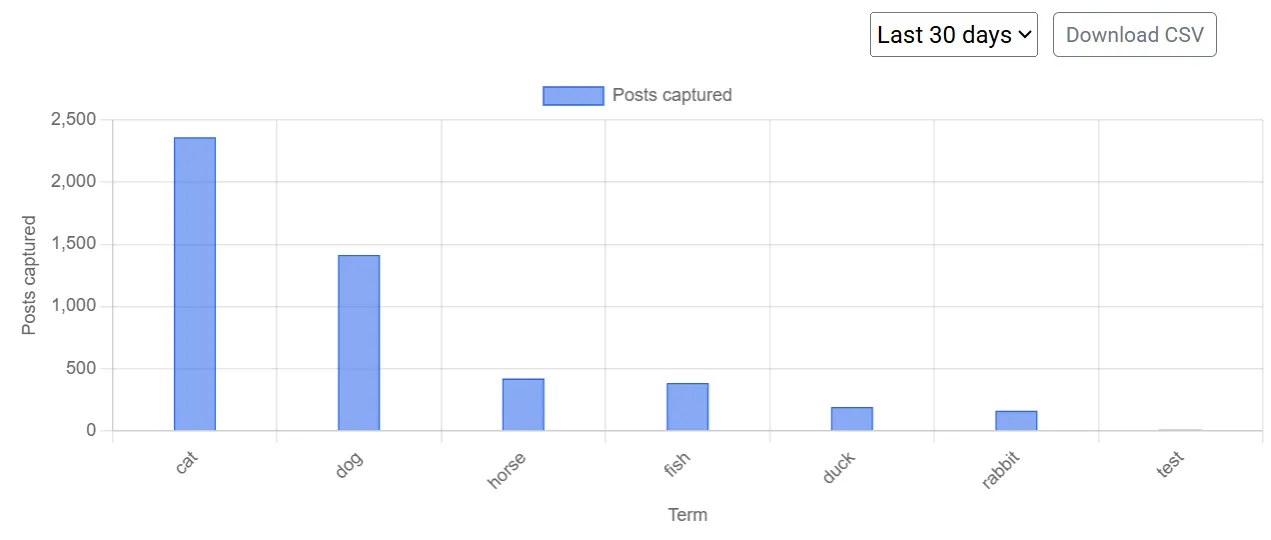
Section titled “The chart”The chart lists terms from left to right, most posts captured to least, over the last 14 UTC days. Each bar is one term.
Click a term in the table to highlight its bar in orange. Clear, next to the capture summary, removes the highlight and shows every term again.
The table
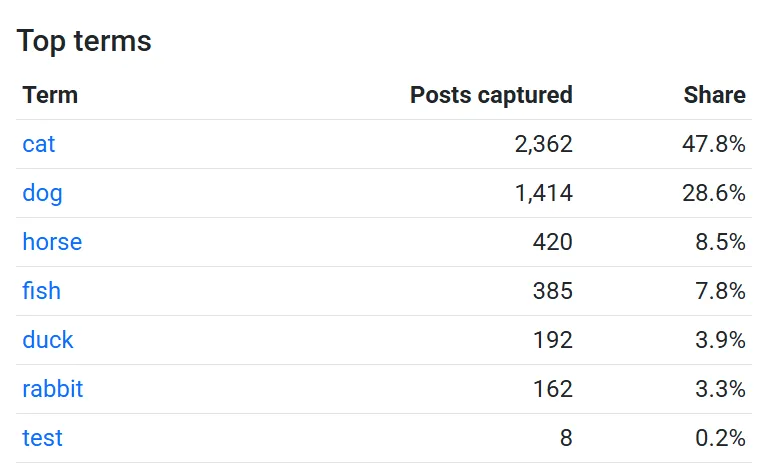
Section titled “The table”The table lists the top terms for the same window:
- Term - click it to highlight that term on the chart.
- Posts captured - how many posts that term captured.
- Share - that term’s share of all captures in the current view.
Standard, Premium, and an active free trial see the real counts for the last 14 days.
Free plans can still open the page. The chart and table are blurred, the terms are blank, and only the last 5 days are used. The Top term chip on the feed dashboard still shows the real top term.
Related
Section titled “Related”- Feed statistics - feed views, post captures, and daily viewers and posters