Deleting a feed
You can permanently remove a feed from Bluesky Feed Creator (BSFC) and from Bluesky. This is different from unpublishing, which keeps your feed in BSFC but removes it from Bluesky.
Who can delete a feed
Section titled “Who can delete a feed”Only the feed owner can delete a feed. Feed administrators can moderate posts and manage many settings, but they cannot delete the feed, unpublish it, change the feed path, or change the connected Bluesky account.
Delete vs unpublish
Section titled “Delete vs unpublish”| Action | Bluesky | BSFC |
|---|---|---|
| Unpublish | Feed is removed from your Bluesky profile | Feed and its posts remain in BSFC; you can publish again later |
| Permanently delete | Feed is removed from your Bluesky profile | Feed row and related data (posts, allowed users, lists, admins) are removed from BSFC |
Use unpublish when you want to pause or hide a feed but might bring it back. Use permanently delete when you are done with the feed and do not need its settings or captured posts in BSFC.
To unpublish without deleting, open the feed and go to Publishing settings (from the Save and publish dropdown → Publishing settings). On that page, click Unpublish.
How to delete a feed
Section titled “How to delete a feed”-
Open My Feeds and click the feed you want to remove.
-
On the feed edit page, open the collapsable settings area and scroll to the bottom of the section that opens up.
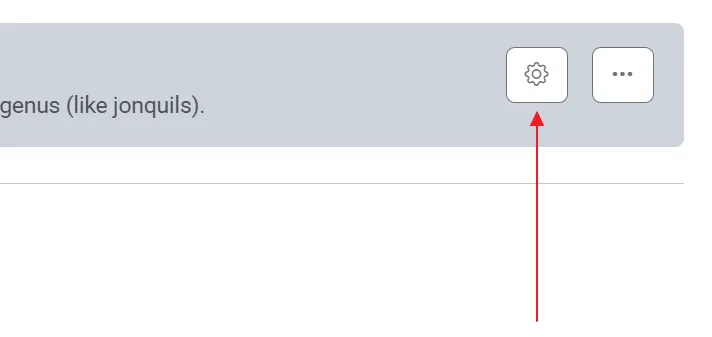
-
Click Permanently delete (red text link in the footer area).
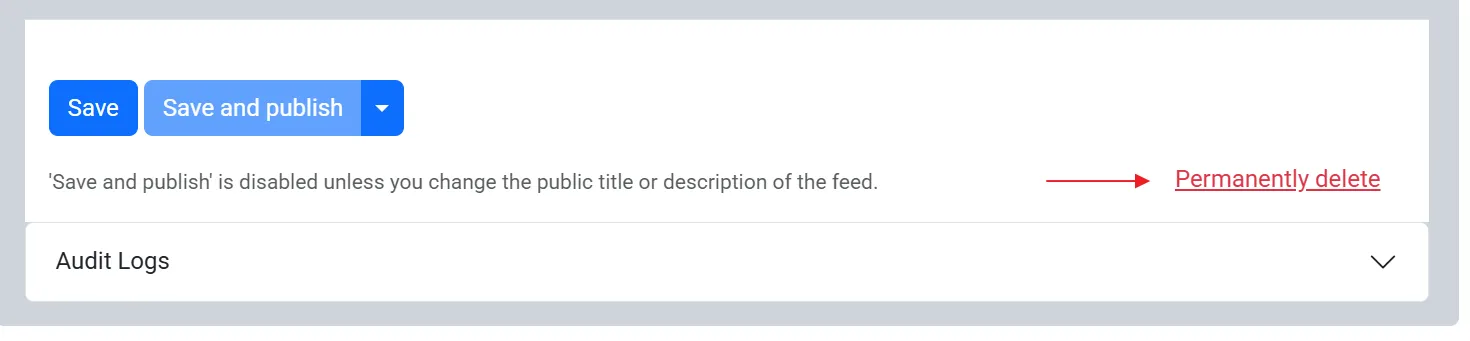
-
In the confirmation dialog, type
DELETEin the confirmation box (required). -
Click Permanently Delete in the dialog.
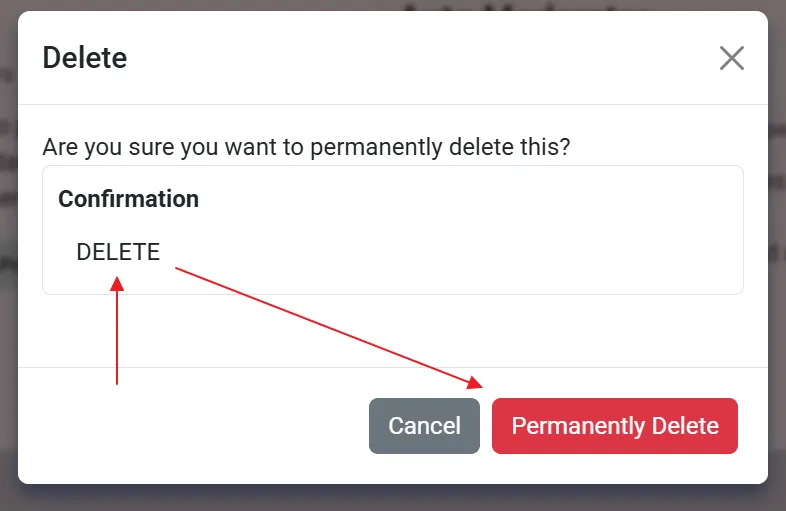
You are returned to My Feeds when the deletion completes.
What happens when you delete
Section titled “What happens when you delete”BSFC will:
- Remove the feed from your Bluesky profile, if it was published
- Stop capturing new posts for that feed
- Delete all captured posts for that feed from BSFC
- Delete feed-specific allowed users, allowed lists, and feed administrators
- Delete the feed’s settings in BSFC
Deletion cannot be undone. If you want the same feed path or topic again, you will need to create a new feed and reconfigure capturing, moderation, and publishing.