Feed queue mode
With BSFC, you can set a feed to queueing mode. This is useful if you curate a feed but need to step away temporarily without losing any content.
Content is still captured, but new posts will not appear in your feed on Bluesky until you switch back to live mode. When you are ready, set your feed back to live for regular function.
When to use queue mode
Section titled “When to use queue mode”Queue mode is a good fit when you want to:
- Take a break from moderating without missing posts that match your feed rules
- Hold new posts back while you review or adjust your feed settings
- Pause what subscribers see on Bluesky without stopping capture
Queue mode is different from turning your feed off. When a feed is off, BSFC stops listening for new posts entirely. In queue mode, matching posts are still captured — they are just held back from Bluesky until you go live again.
Switching a feed to queue mode
Section titled “Switching a feed to queue mode”Open your feed and scroll to Recent Posts. Use the Listen for new posts control and select Queue.
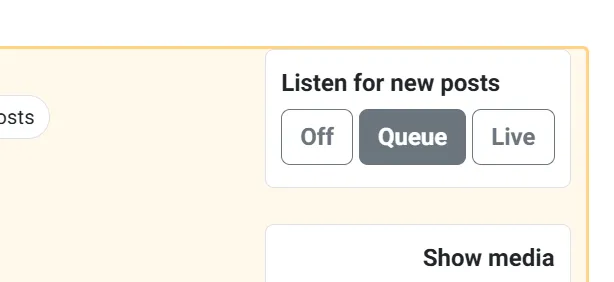
Your change saves automatically. From this point on, newly captured posts are queued instead of appearing on Bluesky.
What happens while you are queuing
Section titled “What happens while you are queuing”While your feed is in queue mode:
- Posts that match your feed rules are still captured in BSFC
- Those posts are not visible in your Bluesky feed
- Each queued post is marked with a queued badge in your post list
- Your feed list shows a Queuing badge (or a count of queued posts you can click through)

When you open the feed, a banner at the top confirms that new posts are being held in the queue.

Viewing queued posts
Section titled “Viewing queued posts”On the feed edit page, open the Queued tab under Recent Posts to see everything that has been captured but not yet released to Bluesky.
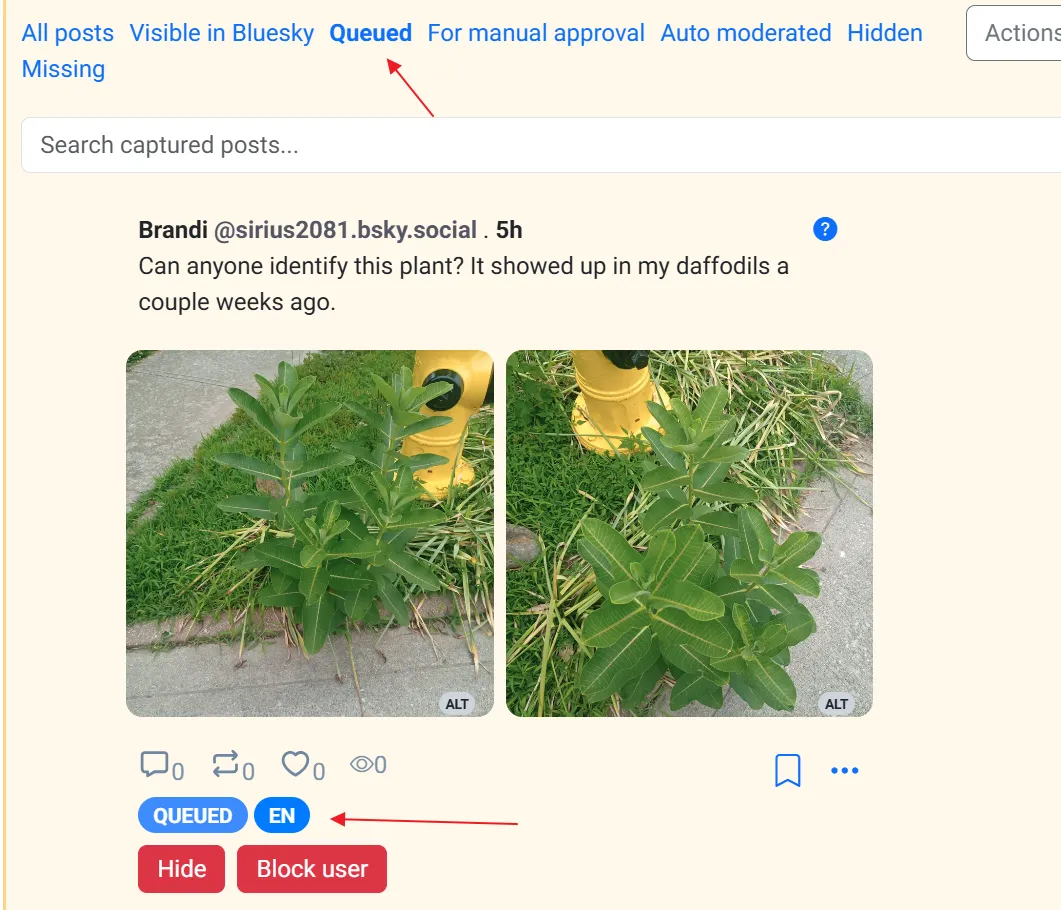
You can still review, hide, or delete queued posts while you are away. Other moderation tools (approval rules, Auto Moderator, blocked users, and so on) continue to apply as normal.
Switching back to live mode
Section titled “Switching back to live mode”When you are ready for your feed to work normally again, switch Listen for new posts back to Live.
You can also use the Switch to live mode button in the banner at the top of the feed page.
When you return to live mode:
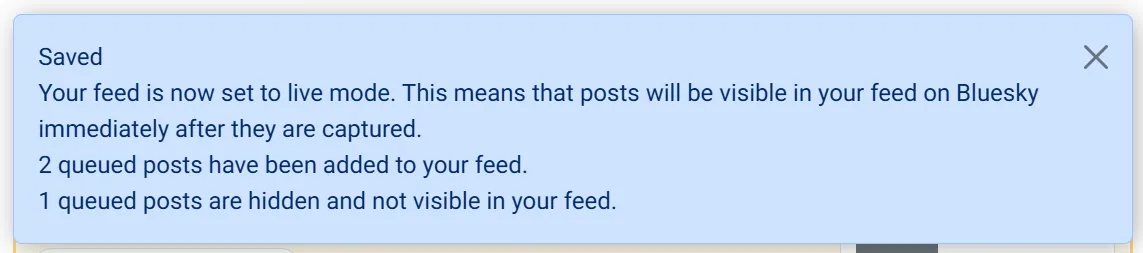
- Queued posts that are active and do not require approval are released to your Bluesky feed
- Queued posts that still require approval remain in your approval queue and are not shown on Bluesky until you approve them
- Queued posts you have hidden stay hidden
BSFC will tell you how many queued posts were added when you switch back.
Queue mode vs manual approval
Section titled “Queue mode vs manual approval”These features solve different problems:
| Queue mode | Manual approval | |
|---|---|---|
| Scope | Applies to all newly captured posts while the feed is queuing | Applies only to posts matching specific inclusion terms or users |
| Use case | Step away from the whole feed temporarily | Review certain terms or posters before they appear |
| On Bluesky | Nothing new appears until you go live | Approved posts can appear immediately; unapproved posts wait |
You can use both together. For example, a feed can queue all new posts while you are away, and still require approval for certain terms when you switch back to live.
Troubleshooting
Section titled “Troubleshooting”| If you are… | You can try… |
|---|---|
| Not seeing queued posts after switching back to live | Check the For manual approval and Hidden tabs — some queued posts may still be held for approval or hidden. |
| Expecting new posts but nothing is being captured | Confirm Listen for new posts is set to Queue or Live, not Off. Off stops capture entirely. |
| Unsure whether a post is queued | Look for the queued badge on the post, or filter by the Queued tab under Recent Posts. |