Building a language-based feed
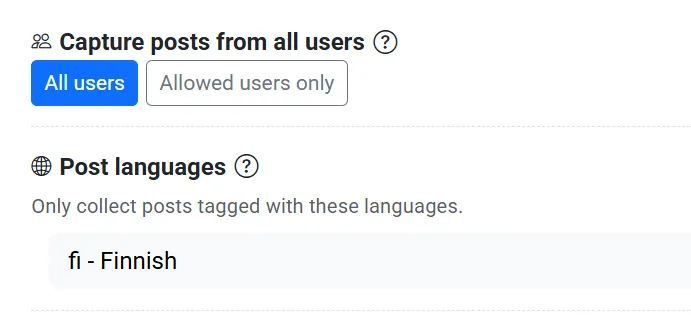
The Language feed template captures public posts in one language. It searches the whole Bluesky network with the include term *, then keeps posts tagged with the language you pick.
This is a Premium feature. Free and Standard plans cannot create a feed that uses * on the whole network. If you finish the wizard on another plan, Bluesky Feed Creator asks you to upgrade.
To limit an existing feed to a language without capturing every post, use Post languages on that feed instead.
Create the feed
Section titled “Create the feed”- Log in to Bluesky Feed Creator and open Create a new feed.
- Under Curation, find Language feed and click Use Template.
Basic Information
Section titled “Basic Information”On the Basic Information step, fill in:
- Account — the Bluesky account that will publish the feed
- Feed Title
- Feed Description
- Feed Path — the short URL path for your feed (letters, numbers, and hyphens, up to 15 characters)
Click Next: Choose language.
Language
Section titled “Language”On the Language step, choose one language from the list, for example Finnish (fi).
Posts tagged with that language are captured. Posts tagged with a different language are left out. Posts with no language tag are still included, because Bluesky did not say which language they are in.
Click Next: Configure Settings.
Feed Settings
Section titled “Feed Settings”On the Feed Settings step you choose how those posts are stored:
- Include Replies — include posts and replies, or only posts (no replies)
- Post Types to Include — text posts, images, gifs, videos, links, and quote posts
- Sort Posts By — newest first, most liked, or most replied to
- Retention Limit — how many posts to keep in the feed
Click Create Language Feed.
After creation
Section titled “After creation”You land on the new feed. It is a public feed with include term * and Post languages set to the language you chose.
You can change the language, add exclude terms, or adjust replies and post types later on the feed’s edit page.
Language filters use the language the author selected in Bluesky. A post tagged with the wrong language can still appear, and a correctly written post tagged with another language will not. See Languages for that limitation and the Auto Moderator workaround.