Sorting and custom order
Collections can order posts in different ways depending on whether you are browsing in the app or viewing the published feed.
Sort options
Section titled “Sort options”In the collection editor, you choose a Sort order. This controls how posts are ordered when:
- You view the collection inside BSFC
- The collection is published as a feed (so visitors see the same order)
The available sort modes are:
Date added to collection(date added order)- Newer entries appear first.
Post date(post date order)- Uses the original Bluesky post timestamp.
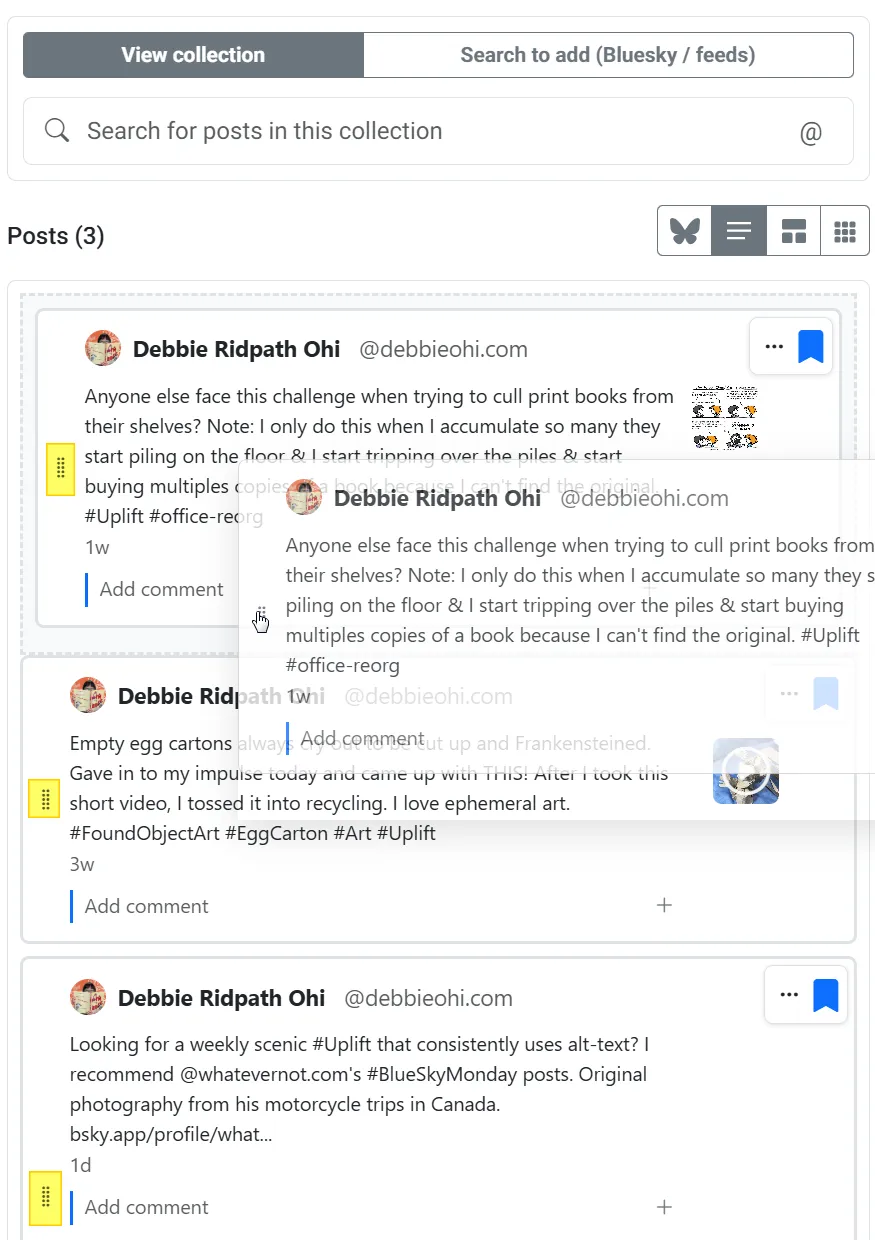
Custom order (drag to reorder)- You manually define the order by dragging posts.
- When this is selected, a drag handle appears for each post in the “View collection” view (not in the “Search to add” list).
Custom order
Section titled “Custom order”To reorder posts:
- Open the collection.
- Switch to the View collection tab.
- Drag the grip icon next to a post into the position you want.
- Release to save the new order.
Once you publish your collection as a feed, the published feed uses this same custom ordering.