Conference wall
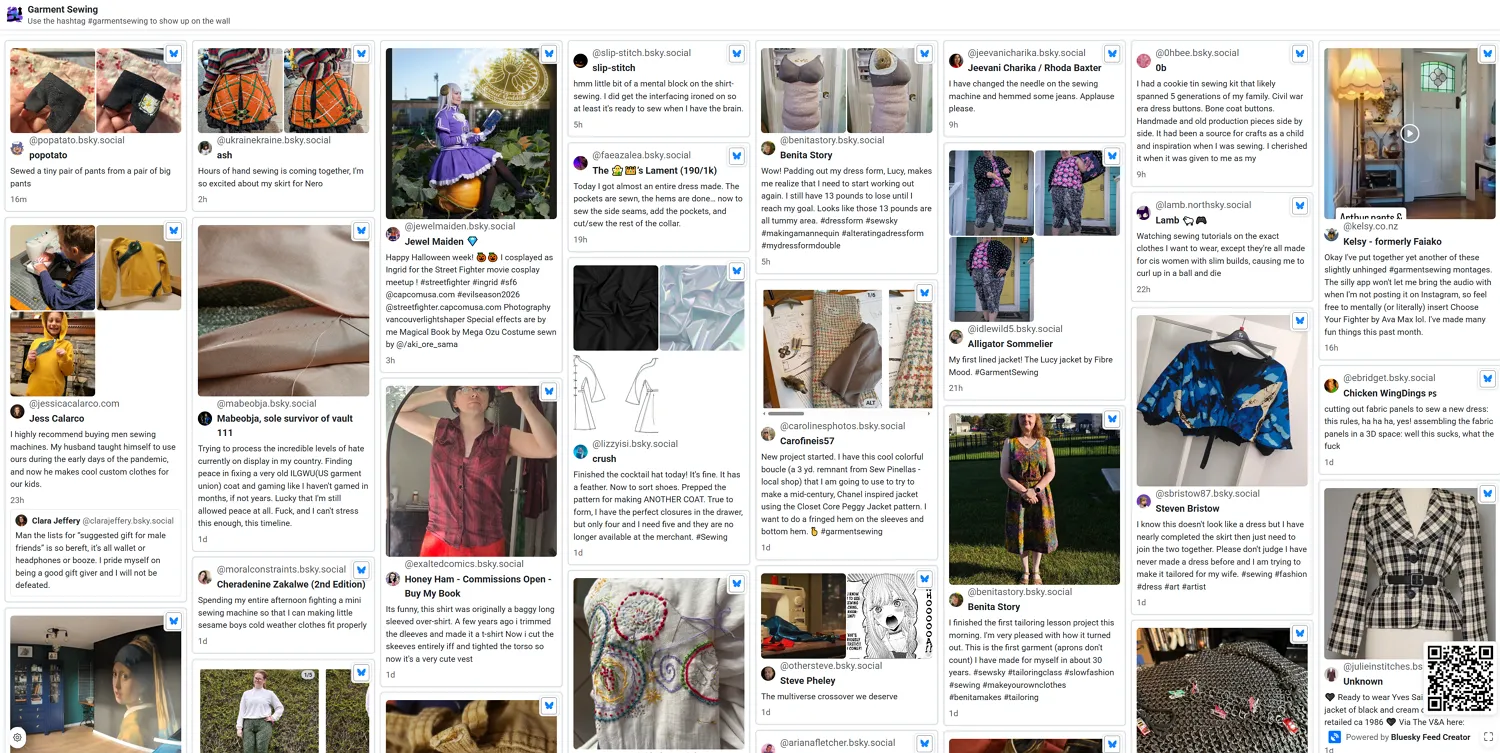
Use a conference wall when you want a full-screen live display of your feed — for example on a projector, TV, or digital signage at an event.
Wall URL
Section titled “Wall URL”Each published feed or collection with a feed path has a dedicated wall URL:
/p/{your-handle}/{feed-path}/wall
Opening the conference wall
Section titled “Opening the conference wall”- Open the feed from your Feeds list (main feed page).
- Click the Public page dropdown in the header.
- Choose View conference wall.
The wall opens in a new tab. Use that URL on your display device and enter fullscreen (button in the bottom-right corner).
The View public page item in the same menu opens your Markdown description page — the wall is a separate URL for live post display.
What you get
Section titled “What you get”- Gallery layout by default (Premium can change to Scrapbook or Compact in wall settings).
- Posts fill the viewport — use the fullscreen button in the bottom-right corner on the display browser. A Powered by Bluesky Feed Creator credit always sits to the left of that button.
- The sticky header shows your feed title and avatar by default (override with event title, banner, or custom logo in wall settings).
- Auto-refresh and new-post highlight on Premium (see tiers below).
- Premium wall settings — event title, banner, custom logo, QR code, theme, auto-scroll, and more.
Wall settings (feeds only)
Section titled “Wall settings (feeds only)”Premium feed owners and administrators can click the settings cog (bottom-left on the wall) to customize display options.
The settings cog appears when you are logged in as the feed owner or a feed administrator, on feed walls only (not collection walls).
| Option | Free | Standard | Premium |
|---|---|---|---|
| View wall | Yes | Yes | Yes |
| Open settings dialog | Read-only | Read-only | Edit and save |
| Wall uses saved settings | No (defaults) | No (defaults) | Yes |
| Auto-refresh on wall | No | No | Yes (min. 1 minute) |
Non-Premium walls always use the default display (gallery layout, feed title and avatar in the header, no QR, no auto-scroll, no auto-refresh). Saved settings are kept in the database but only apply while the feed owner has Premium.
Related
Section titled “Related”- Public description page — Markdown landing page for your feed (also under Public page → View public page)